 NowGTM at Claimlane
 Latest postLatest from the blog
My bike got stolen. So I built an n8n workflow to look for it.
My bike was stolen from the basement on Monday evening. I found out on Tuesday morning, when my roommate called me.
Someone had been into the storage area. My bike was gone.
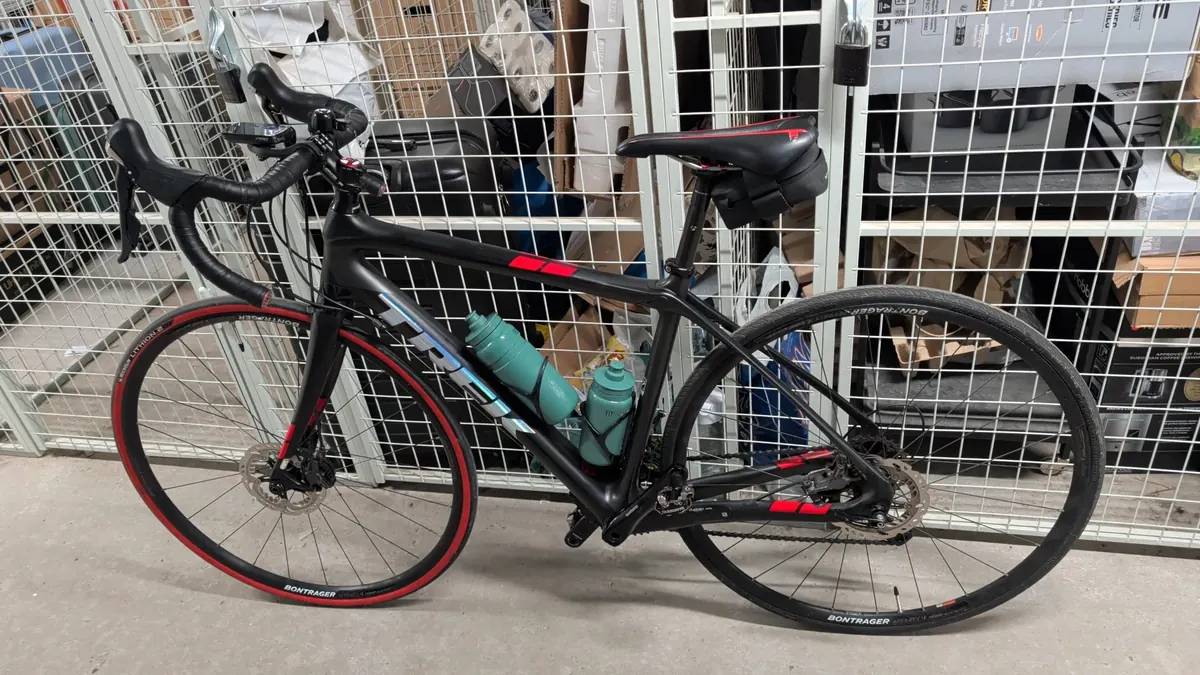
It was a black Trek Domane 1.6 Disc 2016 with red accents, and I really loved it. Seeing it in a photo now is still a bit annoying.
I’d thought the basement of my kollegium was a reasonably safe place to keep it. We all store belongings down there. There were cameras, too, so I hoped there might at least be footage of what had happened.
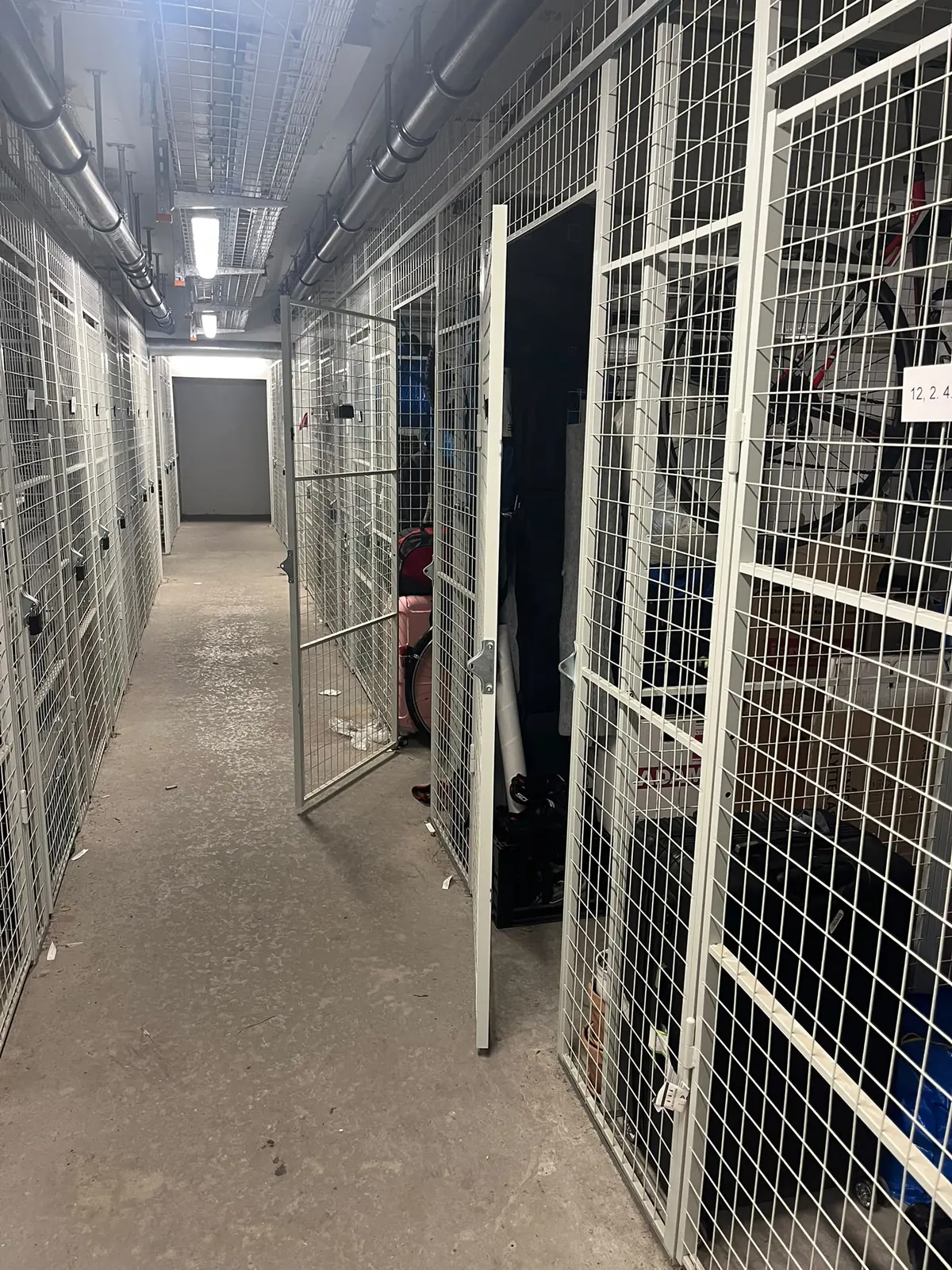
When I asked, I found out there was no footage available. The response from the kollegium was essentially that they weren’t responsible.
That was probably the most frustrating part. You keep your things somewhere you think is safe, and when something disappears, you’re left trying to work out what you can actually do about it.
In my case, apparently, the answer was to get very upset and then open n8n.
I knew I was going to spend time scrolling through second-hand listings. DBA, for a start. Probably other sites too. Looking for the same frame, the same colours, anything that might be familiar.
But I could also see how that would turn into checking my phone over and over, just in case something new had appeared.
So I built a workflow to do some of the looking for me.


Every pulse is one listing making its way through. Most never reach Claude — the title check drops the wrong models, the wrong frame sizes, the wanted-ads and anything I have already seen.
Every two hours, it runs searches across DBA in Denmark, Blocket in Sweden, Kleinanzeigen in Germany and Marktplaats in the Netherlands.
Some searches use “Trek Domane”. Others are broader: a carbon road bike, a particular frame size, or a bike with disc brakes. I didn’t want the whole thing to depend on someone writing the exact model name in the listing.
The workflow collects the listings, filters out obvious mismatches and uses the title and price to pick candidates worth a closer look. Those go to Claude, along with three reference photos of my bike.
That’s the part I was most interested in: could it spot details that would make a listing worth opening?
The instructions ask it to compare the frame shape, paint, decals, wheels, brakes and any visible marks. There’s also some context about parts I’d changed since the reference photos were taken. Different bar tape or pedals shouldn’t automatically rule it out.
Claude gives each candidate a score and a short explanation. If it scores six out of ten or higher, it goes into a Slack summary with the listing link and price, so I can take a look myself.
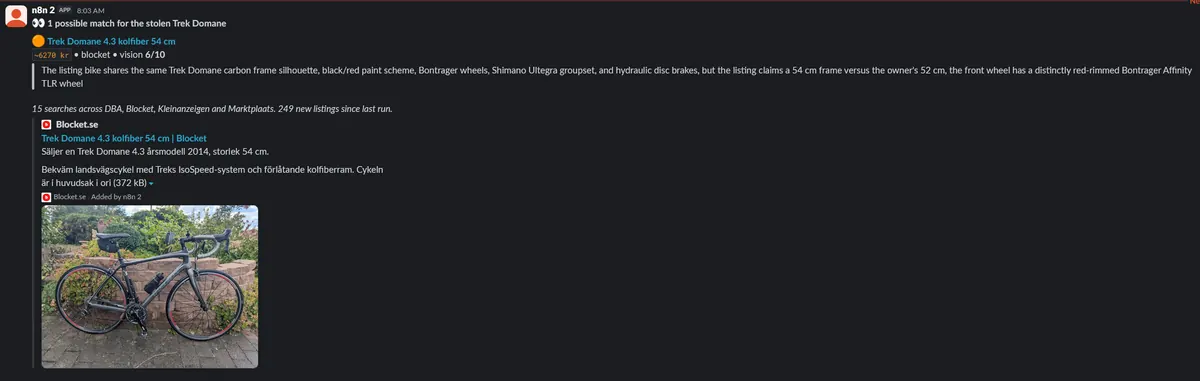
Getting that last part right took a little work.
An early version sent me far too many unrelated bikes. The image comparison would reject a listing, but a separate keyword rule could still let it through to Slack. Having “Domane” in the title was enough to get my attention, even when the bike in the photo was clearly wrong.
Which is quite an irritating bug when every notification makes you wonder whether you’ve found your bike.
The filter now requires the image score to meet the threshold. A familiar model name alone won’t trigger an alert.
Of course, a score isn’t proof that a bike is mine. And the workflow can only search the places it covers. Facebook Marketplace isn’t included, poor photos make comparisons difficult, and my bike might never appear in a public listing at all.
I don’t know whether this will help me get it back. But it gives me a way to keep looking without spending every evening refreshing search results.
If you happen to see a black Trek Domane with red accents for sale, especially around Copenhagen, please give me a shout. The bike in the photo is the one I’m looking for.
I’d much rather be riding it than building a workflow to find it.