Day 9: Lead Qualification System in n8n
🧠 Project Name: Lead Qualification System in N8N
🔧 What This Workflow Does:
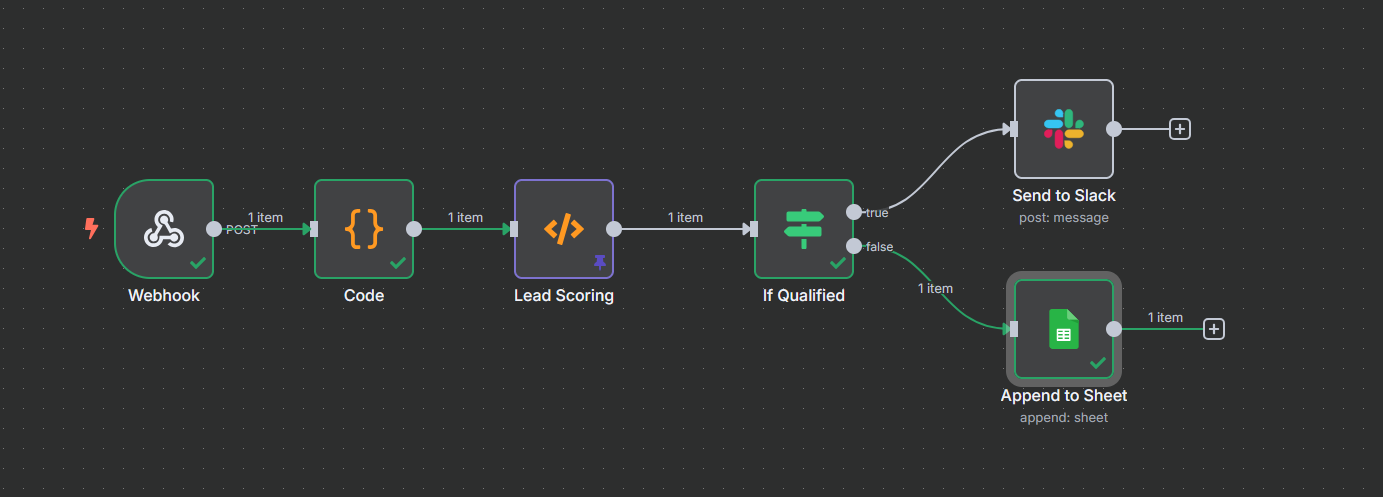
This system automatically captures form submissions via webhook, scores the lead based on customizable logic (e.g., completeness or quality indicators), filters out unqualified leads, and routes qualified leads to the sales team (Slack) and the database (Google Sheets).
✅ Tools Used:
- n8n – for scoring, routing, and CRM update logic
- Slack/Google Sheets – for storing/updating lead records
- Optional: OpenAI API for scoring assistance or enrichment
Flow Overview ⚙️
The automated process runs through the following stages:
- Webhook - Capture incoming form submission data via webhook
- Data Parsing - Extract and normalize fields from raw form data
- Lead Scoring - Apply simple logic to score leads based on completeness
- If Qualified - Filter out unqualified leads (e.g. score threshold)
- Slack Notification (optional) - Notify team of new qualified lead
- Google Sheets Append - Save qualified lead data to Google Sheets
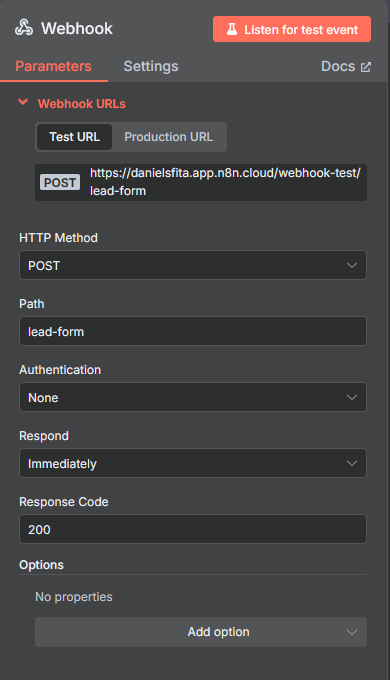
🔹 Step 1: Set up the Webhook
Create a Webhook node in n8n.
- Copy the webhook URL generated (e.g., `https://your-n8n-domain/webhook/lead-form`).
- Configure your form tool (Tally, Jotform, etc.) to POST submissions to this URL.
- Test submitting a form and ensure n8n receives the payload.
🔹 Step 2: Parse Form Data
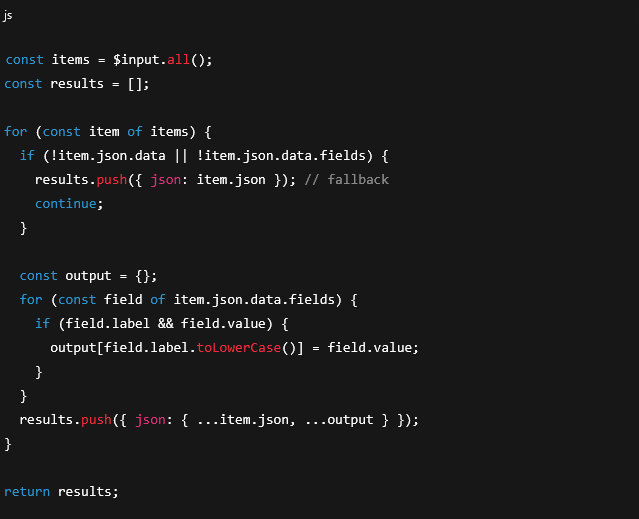
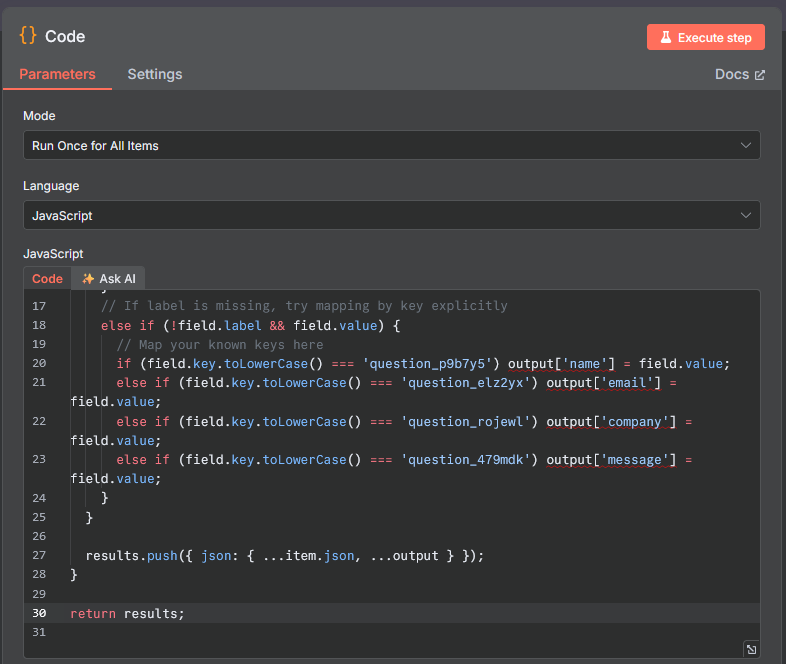
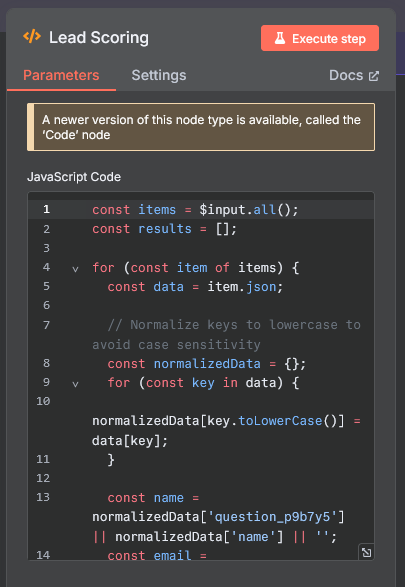
Add a Function or Code node after the webhook to normalize the raw, complex form data.
This step uses a JavaScript snippet to extract fields by label or key, making the data clean for the next steps.
🔹 Step 3: Lead Scoring
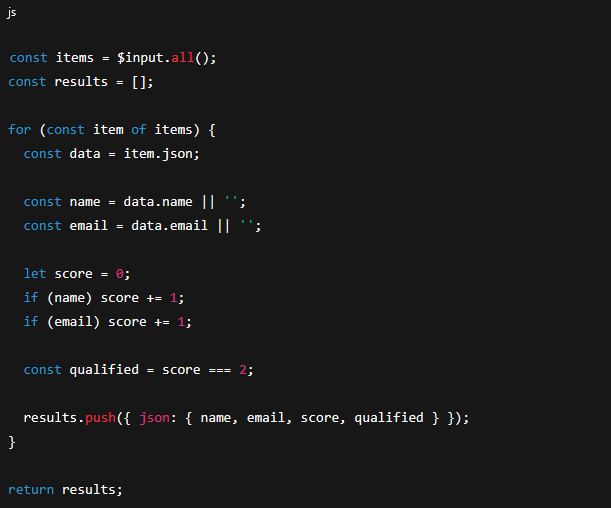
Add another Function node to score the lead. The example logic below provides simple scoring based on data completeness (name and email).
Example Scoring Logic (JavaScript):
const items = $input.all();
const results = [];
for (const item of items) {
  const data = item.json;

  const name = data.name || '';
  const email = data.email || '';

  let score = 0;
  if (name) score += 1;
  if (email) score += 1;

  const qualified = score >= 2; // Simple qualification rule

  results.push({ json: { name, email, score, qualified } });
}
return results;
🔹 Step 4: Filter Qualified Leads
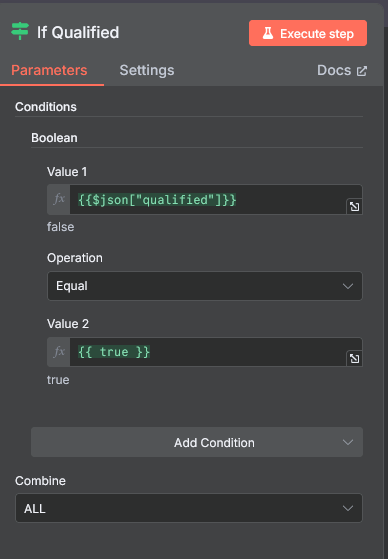
Add an If node (Conditional Filter).
Condition: `{{$json["qualified"]}} equals true`
This routes only qualified leads (those scoring 2 or higher in the example logic) to the next critical steps.
🔹 Step 5: Slack Notification
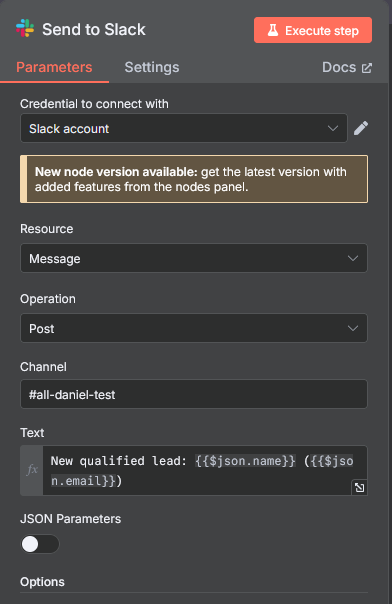
Use a Slack node to send an instant notification to your sales team channel.
Message example: `New qualified lead: {{$json.name}} ({{$json.email}})`
🔹 Step 6: Append to Google Sheets
Add a Google Sheets node with the action Append.
- Select your spreadsheet and worksheet (e.g., 'Sheet 1').
- Range Expression: `'Sheet 1'!A:C`
- Map the columns to the final scored data:
- Column A → `{{$json.name}}`
- Column B → `{{$json.email}}`
- Column C → `{{$json.score}}`
🎯 Final Output:
A fully functioning, automated lead scoring system that routes high-potential prospects directly to your team and centralizes the data in a sheet.