Day 8: AI-Powered Content Translation Pipeline
🧠 Project Name: Building an AI-Powered Content Translation Pipeline: A Step-by-Step Guide
🔧 What This Workflow Does:
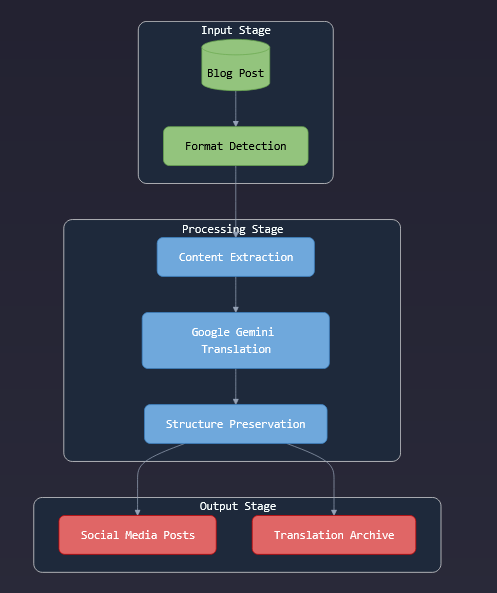
This automation pipeline fetches blog posts from an RSS feed, translates the content into Danish using Google Gemini’s AI, and then generates a concise social media post. The translated content and social post copy are then automatically published via Buffer. The process is designed to run regularly, keeping your social media channels fresh with multilingual content effortlessly.
✅ Tools Used:
- Make.com – automation platform
- Google Gemini API – AI language model for translation and content generation
- Buffer – social media scheduling and posting tool
- RSS Feed – source of blog content
Flow Overview ⚙️
The process runs regularly, automatically handling content fetching, multilingual translation, social post generation, and scheduling via Buffer.
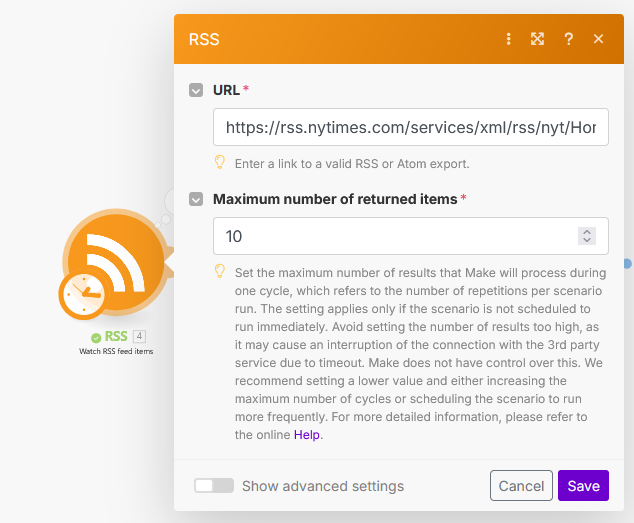
🔹 Step 1: Fetch Blog Posts from RSS Feed
The flow begins by pulling blog post entries from your selected RSS feed. Although RSS feeds typically only provide headlines and summaries, this step gathers the latest posts for processing.
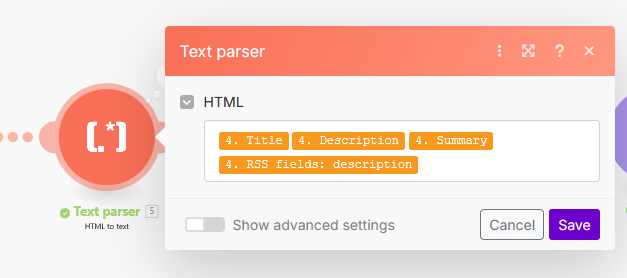
🔹 Step 2: Extract and Parse Blog Content
Since RSS entries often lack the full article text, the automation extracts available text fields such as title and description. These are prepared for the translation step. Optionally, a text parsing module cleans and formats the data to ensure it’s ready for AI processing.
🔹 Step 3: Send Content to Google Gemini API for Translation
The cleaned blog content is sent as a prompt to Google Gemini’s API with instructions to translate it into Danish and generate a matching social media post copy.
This step uses the AI’s language understanding to maintain formatting while producing engaging translated text.
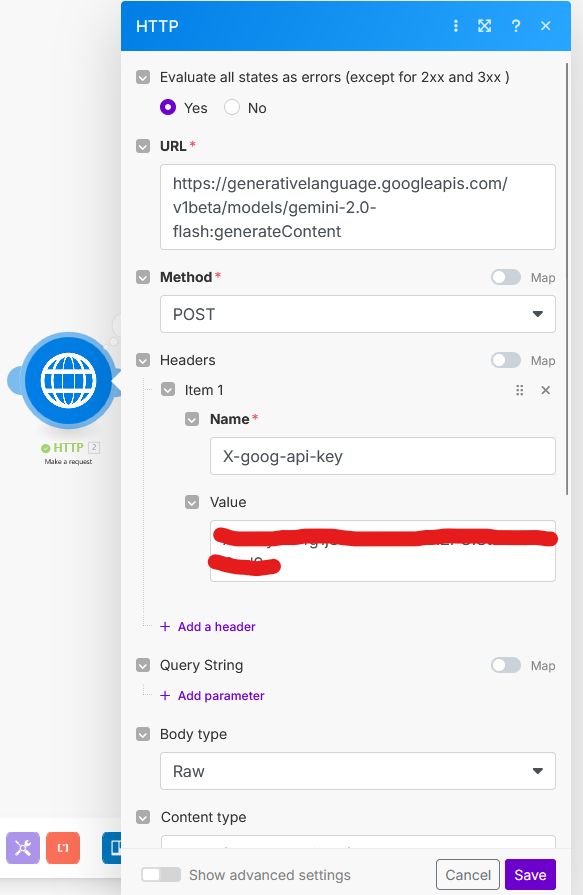
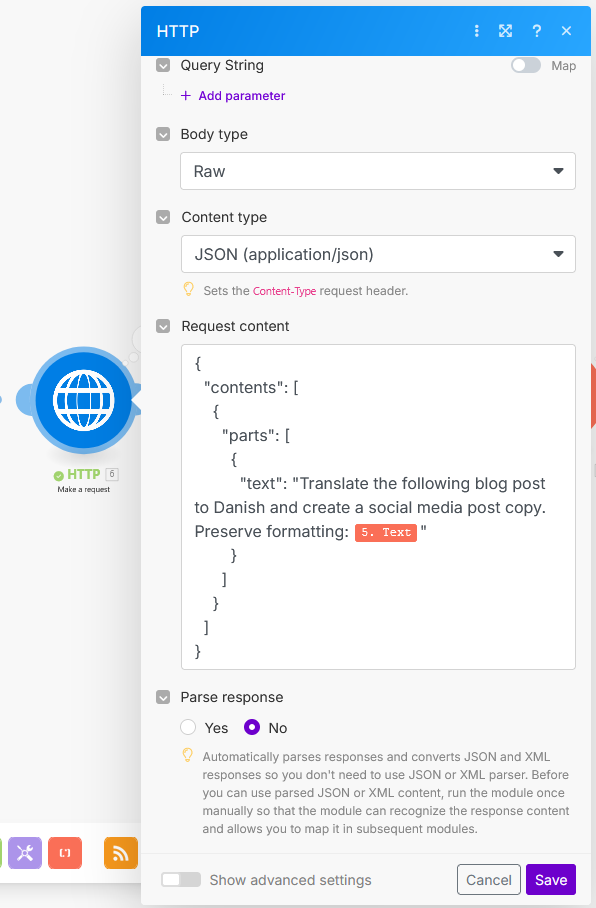
🔹 Step 4: Parse the AI Response
Google Gemini returns a combined text block containing the translated blog post and several social media post options.
Using Make.com’s Text Parser module with regex, we extract just the Danish translation and the primary social media copy option for further use.
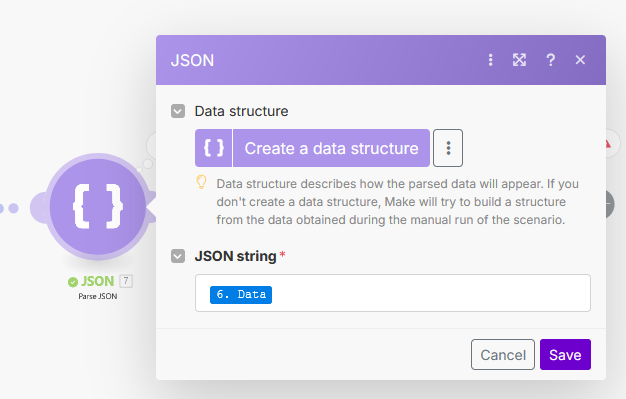
🔹 Step 5: Shorten and Format Content for Buffer
Social platforms have strict character limits, so the extracted social post copy is trimmed and formatted as needed to fit those limits without losing context or impact.
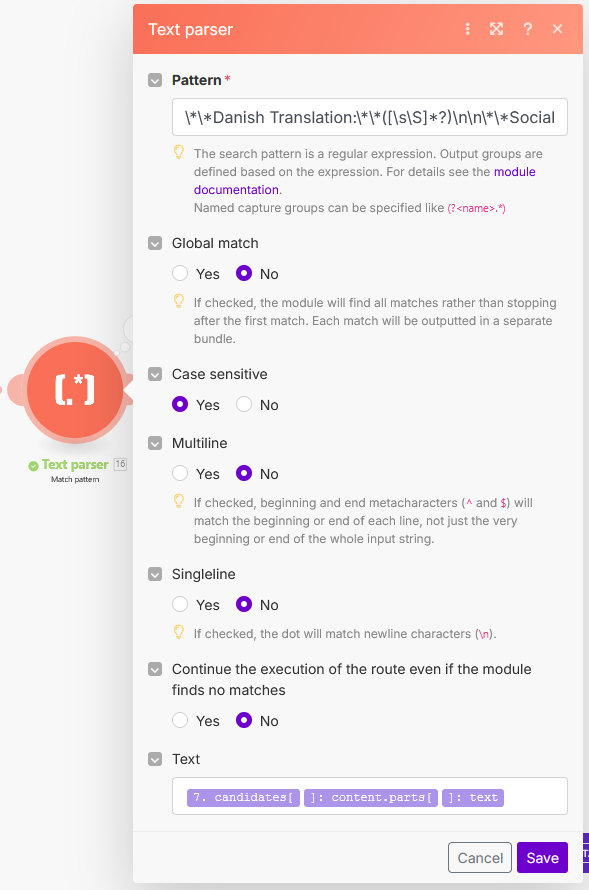
🔹 Step 6: Publish via Buffer
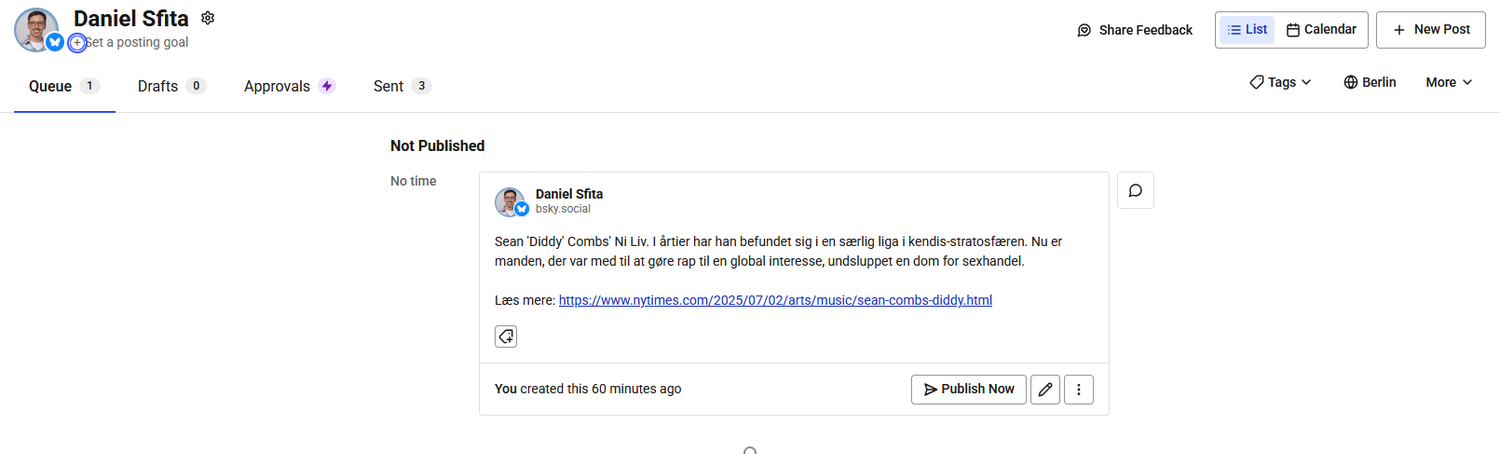
Finally, the formatted translated content and social post are automatically pushed to Buffer, where they are scheduled for posting on your connected social media channels, ensuring a consistent multilingual presence.
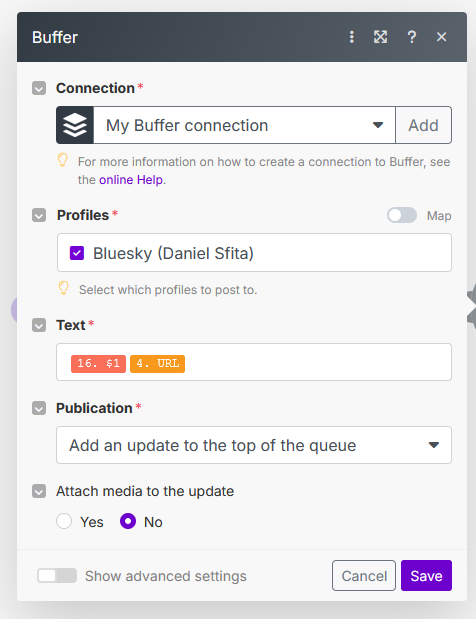
🎯 Final Output:
A clean, translated social media post scheduled automatically in Buffer for a consistent multilingual presence.