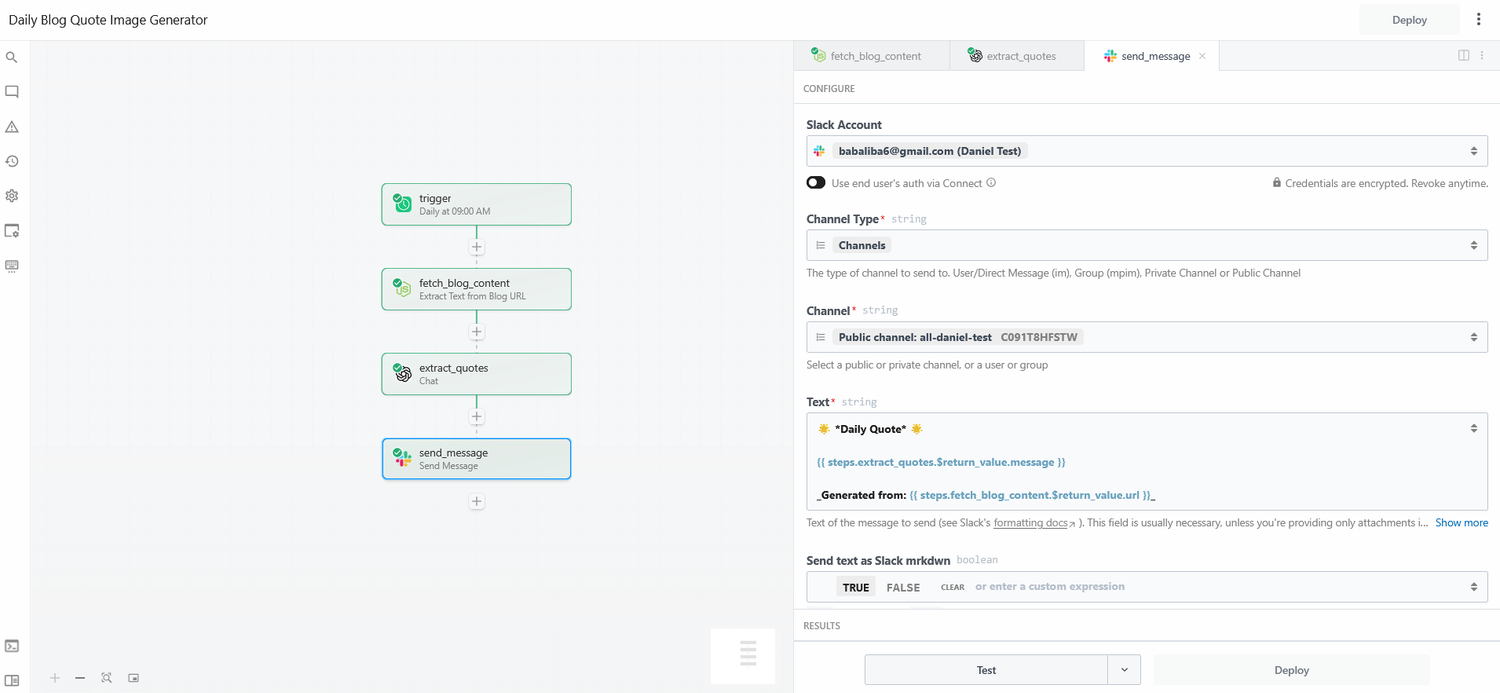
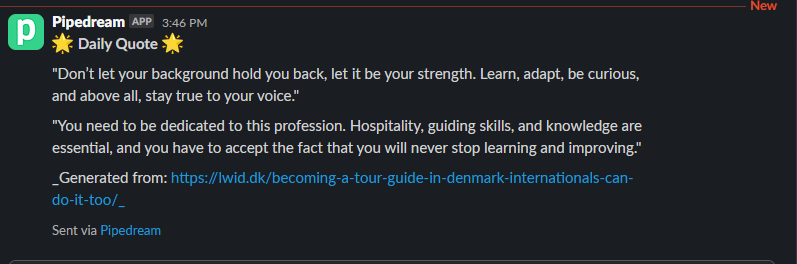
Day 6: Daily Inspirational Quote Bot (Pipedream)
🧠 Project Name: Pipedream Automation: Daily Inspirational Quote Bot
✅ Tools Used:
- Pipedream AI Builder (for real-time automation creation & error fixing)
- GPT-4.1 (for quote extraction)
- Image generation action
- Slack integration
Flow Overview ⚙️
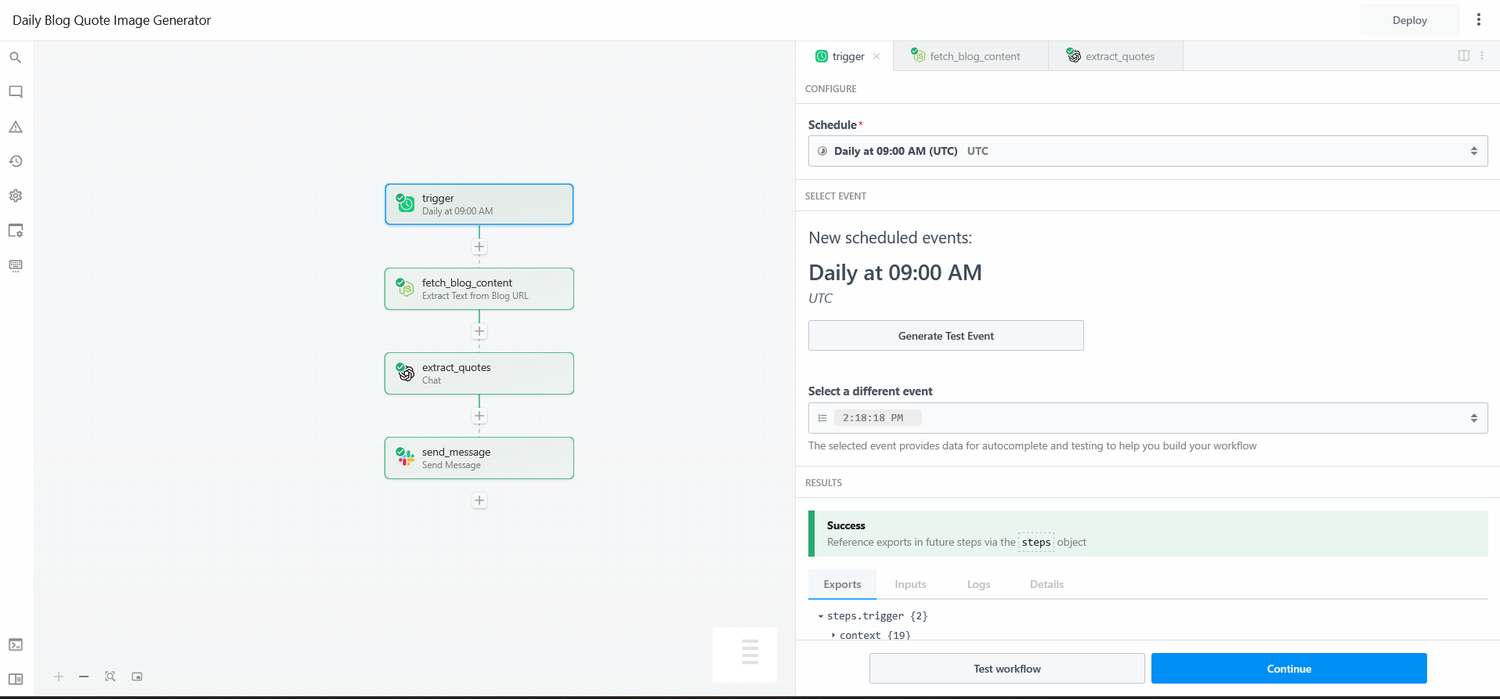
🔹 Step 1: Trigger; Daily Timer (Cron)
Runs every day at 09:00 UTC.
Configured with:
{
  "cron": "0 9 * * *",
  "timezone": "UTC"
}
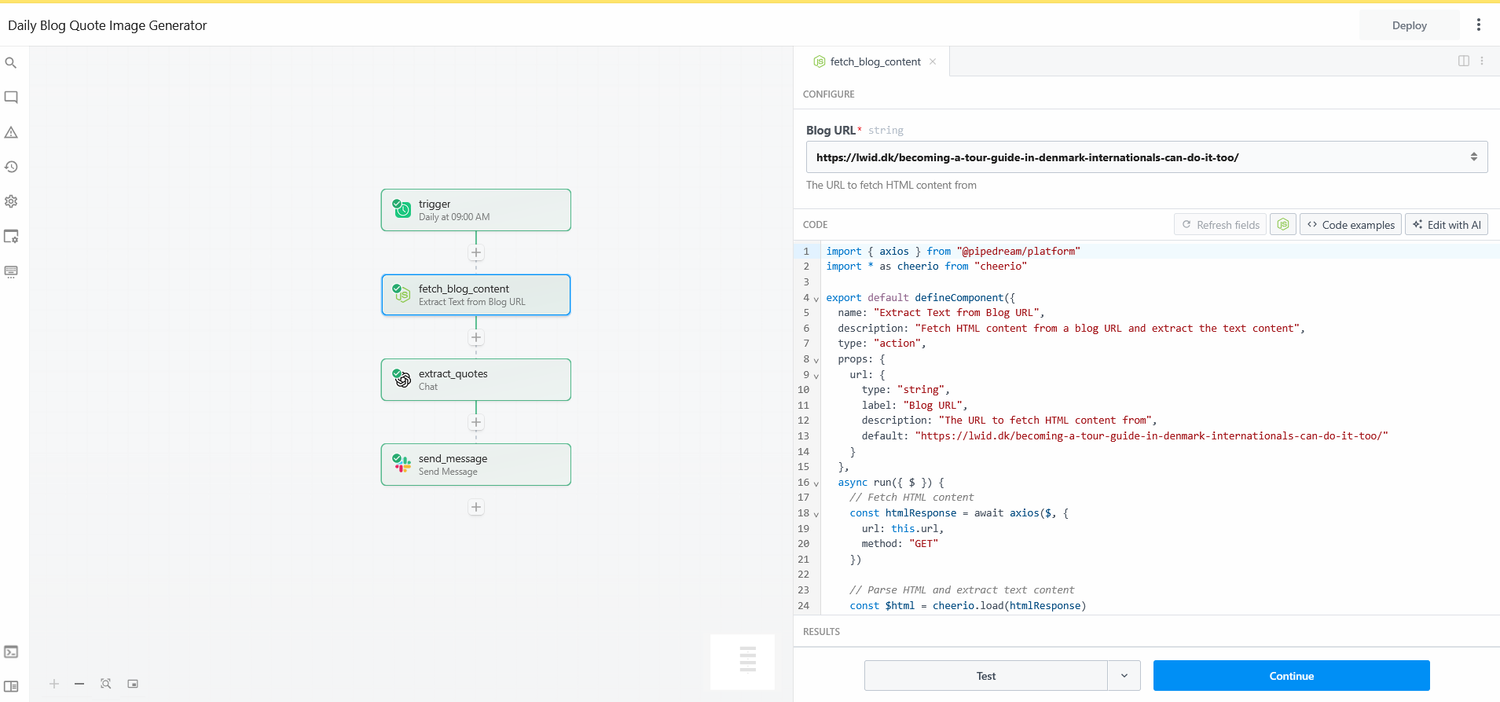
🔹 Step 2: Fetch Blog Content (Custom Code)
Makes a GET request to: https://lwid.dk/becoming-a-tour-guide-in-denmark-internationals-can-do-it-too/
Returns raw HTML/text content from the blog.
Custom Code used in Pipedream:
import { axios } from "@pipedream/platform"
import * as cheerio from "cheerio"
export default defineComponent({
  name: "Extract Text from Blog URL",
  description: "Fetch HTML content from a blog URL and extract the text content",
  type: "action",
  props: {
    url: {
      type: "string",
      label: "Blog URL",
      description: "The URL to fetch HTML content from",
      default: "https://lwid.dk/becoming-a-tour-guide-in-denmark-internationals-can-do-it-too/"
    }
  },
  async run({ $ }) {
    // Fetch HTML content
    const htmlResponse = await axios($, {
      url: this.url,
      method: "GET"
    })
    // Parse HTML and extract text content
    const $html = cheerio.load(htmlResponse)
    const textContent = $html('body').text().replace(/\s+/g, ' ').trim()
    // Export summary
    $.export("$summary", `Successfully extracted text content from ${this.url} (${textContent.length} characters)`)
    return {
      url: this.url,
      textContent: textContent,
      htmlLength: htmlResponse.length,
      textLength: textContent.length
    }
  }
})
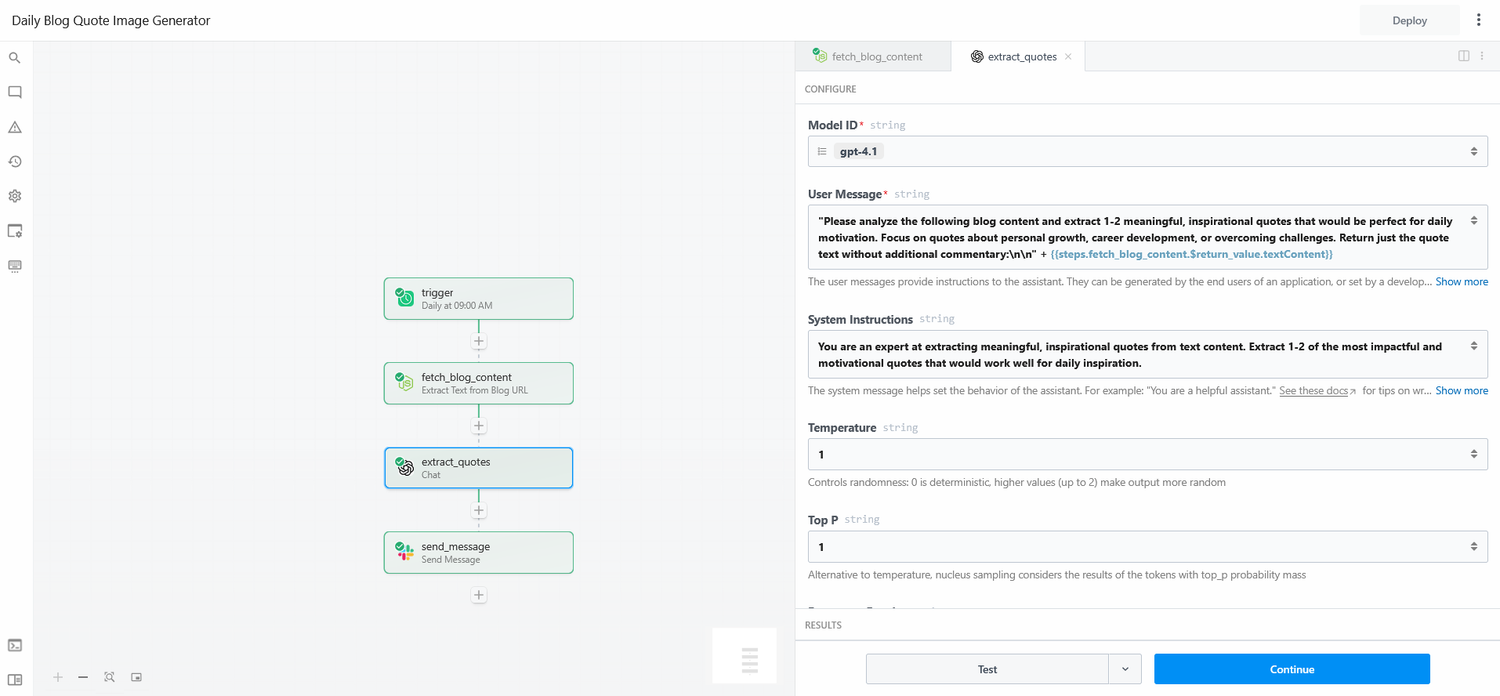
🔹 Step 3: Extract Inspirational Quote with GPT
Uses GPT-4.1 model with the following system prompt:
"You are an expert at extracting meaningful, inspirational quotes from text content. Extract 1–2 of the most impactful and motivational quotes that would work well for daily inspiration. Focus on quotes about personal growth, career development, or overcoming challenges."
Inputs: `textContent` from the previous step (blog content).
Outputs: Plain text quote.
🔹 Step 4: Send Message to Slack
Originally attempted to send the raw image as a message, but it didn't work due to image formatting.
Issue: Slack can't handle raw base64 in message body
The final output successfully posts the extracted quote and source link to Slack.